


A large gambling website is easier to use when its navigation reflects how you actually search, compare and return to content. The Canada-facing version of spinsy casino canada places casino games, live tables, sports and account tools within one browser-based environment, so the main challenge is often finding the right route rather than finding something to do. This practical guide looks at the lobby structure, filters, mobile layout, promotional areas and account navigation without treating every listed option as equally suitable for every visitor.
Start with the section that matches your purpose
The first useful decision is whether you are looking for casino content, live dealer tables, sports markets or account information. These areas are accessible from the same account, but they serve different browsing purposes. Someone looking for a conventional slot does not need to begin in the live casino, while a football bettor may want to move directly to prematch or live markets instead of scanning casino categories.
The casino area is divided into recognisable groups such as Top, New, Popular, Exclusive, Live Games, Instant Games, Slots, Table Games and jackpots. These labels are more useful than scrolling through a long undifferentiated catalogue. “New” can help you inspect recent additions, while “Popular” may suit someone who wants a quick shortlist. Neither label should be treated as a quality guarantee; they are navigation aids, not evidence that a title is better suited to your preferences.
Live casino has its own internal structure, including roulette, blackjack, baccarat and dice, poker, international tables, game shows and Gold Saloon. Sports browsing is separate again, with prematch, live and virtual sports areas covering football, tennis, basketball, hockey and other markets. Keeping these purposes distinct reduces accidental wandering and makes it easier to leave one section when the available choices no longer match what you intended to inspect.

Use filters before relying on the catalogue
A catalogue described as containing several thousand titles can be convenient and overwhelming at the same time. Search is the quickest route when you already know a game name, but category and provider filters are more helpful when you are exploring. You can narrow the list by broad type first, then use a provider filter or a familiar title to reduce the number of results.
Provider names can also be useful for returning visitors who have developed a preference for a particular visual style or game format. The directory includes many studios, and the listed catalogue spans slots, instant games, table games, jackpots and live content. However, a provider filter does not replace reading the individual game information. It only changes which results appear, and it does not establish payout expectations, volatility or suitability.
Demo play is available for many titles, which can make navigation easier because you can inspect the interface before deciding whether a game deserves further attention. Treat this as a familiarisation tool rather than a performance test. A short demonstration does not verify long-term returns or predict results. If you are comparing games, record practical observations such as controls, speed, screen clarity and whether the instructions are understandable.
Keep the mobile route simple
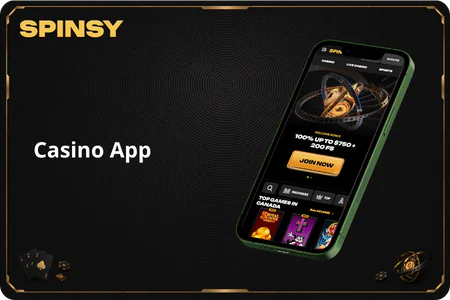
The browser-based layout is designed to work on Android and iOS, allowing the same general account environment to be used on a phone. This can be useful when a desktop screen is unavailable, but a smaller display makes menus, filters and promotional panels more crowded. A sensible mobile routine is to open one section at a time, apply a search or category filter, and close unused panels before continuing.
A shortcut can be added to the phone’s home screen through the mobile browser. On Android, this is generally done through the “Add to Home screen” option; on iOS, the Share menu provides the equivalent route. The shortcut opens the mobile website rather than installing a native application. That distinction matters because users should not assume that a home-screen icon represents a separate app with separate functionality.
Mobile usability is also affected by connection quality, screen size and browser settings. If a live table or game loads poorly, try checking the connection and closing unnecessary tabs before assuming the account or content is unavailable. Avoid entering sensitive information on a shared device, and sign out when appropriate. For broader Canadian regulatory context, consult Ontario gambling regulatory information separately from the operator’s own menus and help material.
Separate promotional navigation from ordinary browsing
Promotions, tournaments, Challenges, Coins, the Shop and VIP information are presented alongside the core gambling sections. This creates convenience, but it can also make the interface feel busier than a simple game catalogue. If your purpose is merely to browse, you do not need to open every promotional panel. Start with the product area you intended to visit, then review account-specific offers only if you are prepared to read their conditions.
Promotional information can change, and the source material itself indicates that detailed terms should be checked in the relevant account area before activation. The Canadian registration flow may offer a casino package, a sports package, a promo-code option or no welcome bonus. That choice affects how promotional content appears later, so selecting an offer casually can make the account experience more complicated than expected.
Use a simple checklist when opening a promotion: identify the qualifying activity, check the expiry period, understand wagering requirements, note which bets or games count, and confirm any withdrawal restriction. Cashback, reloads and sports offers can each use different conditions. Coins and Shop rewards also introduce another layer of tracking. Keeping promotional navigation separate from ordinary browsing helps prevent an attractive banner from becoming an unexamined commitment.
Know where account controls are located
The header provides routes to registration and login, while the account area connects to the cashier, transaction information, bonuses, challenges, Shop and VIP status. This central arrangement is convenient because users do not need separate credentials for each section. It also means that a problem with access can affect more than game browsing, so account-recovery details should be kept current.
Verification is another account function that can influence navigation. Identity, address, payment ownership and, when required, source-of-funds information may be requested. A withdrawal can remain pending until required checks are completed. The practical lesson is to read account notices rather than treating a missing transaction option as a technical fault. If support asks for documents, use the stated support route and check exactly what information is requested.
Support is available through live chat and email, with a Help Centre and additional contact options also referenced in the site material. Use support for access problems, account changes, KYC questions, technical issues and unclear promotion terms. Self-exclusion is documented as an available responsible-gaming option, but public descriptions of other self-service limits are inconsistent. Do not assume that deposit, loss or session controls exist on every account; confirm the controls shown in your own profile before relying on them.
Frequently asked questions
Can the same account be used for casino and sports sections?
The available information describes casino, live casino, sportsbook, cashier, promotions and account tools as accessible through the same account environment. That does not mean every offer or condition applies across sections. Check the relevant terms for the specific activity, particularly where sports and casino wagering requirements differ.
Is the mobile shortcut a downloadable app?
No. The shortcut opens the responsive mobile website in the phone’s browser. Android users can generally add it from the browser menu, while iOS users can use the Share menu. It is a convenient home-screen entry, but it should not be confused with a separate App Store or Google Play installation.
What should I do if a promotion is difficult to understand?
Pause before activating it and review the qualifying deposit, wagering calculation, expiry, eligible games or bets, and withdrawal conditions. If any point remains unclear, contact support and retain the response. Do not assume an older description or a general banner reflects the current terms shown in your account.